
Instacks Cheater Extension
Follow the steps below to install and set up the extension.
1. Installation Steps
▶Download Extension Files
Download the extension files:
Open Extensions Page
Copy and paste this address into your browser address bar:
chrome://extensions/
You'll need to manually copy and paste because browsers block direct links to chrome:// pages
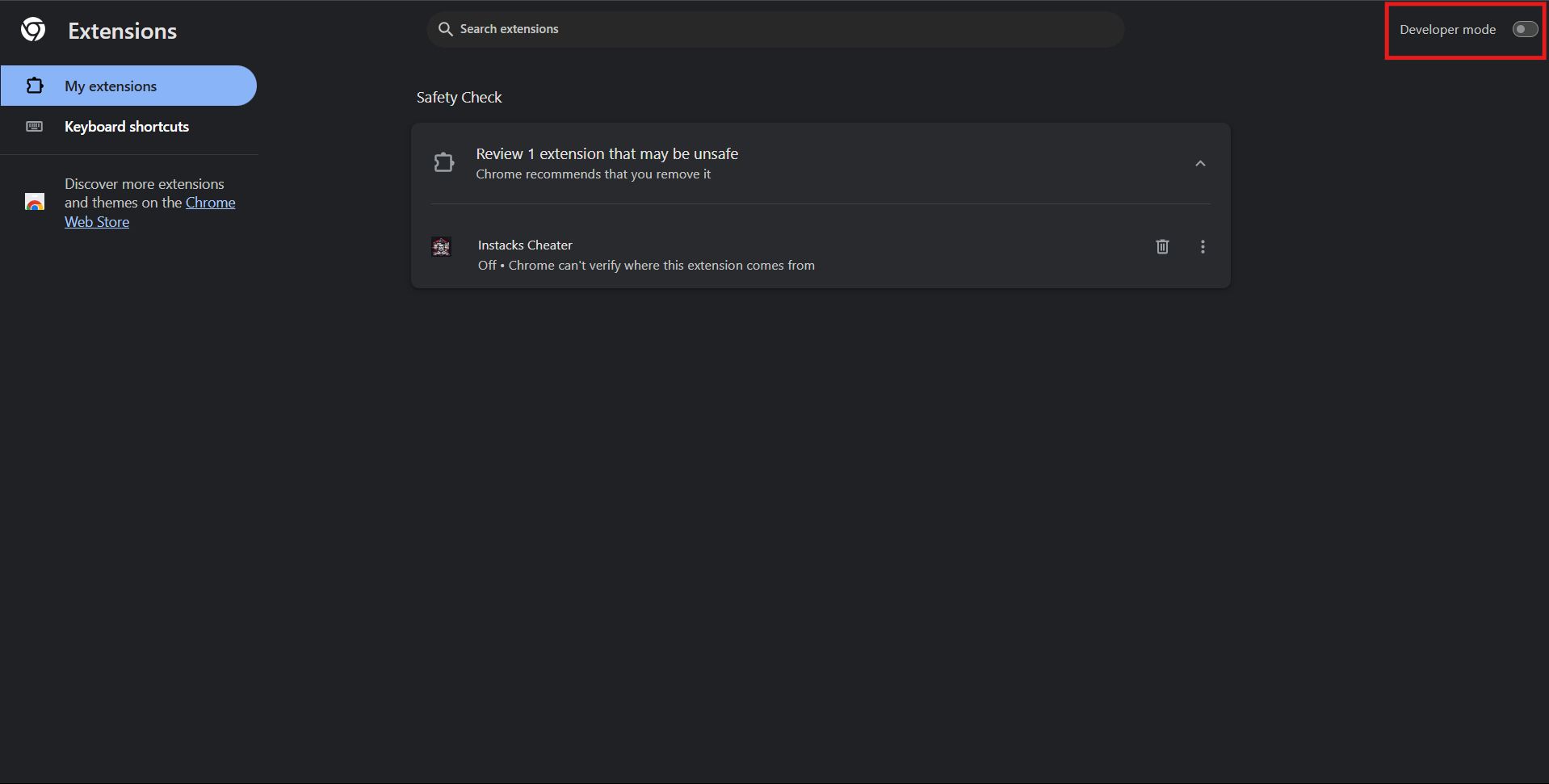
Enable Developer Mode
Look for the "Developer mode" toggle in the top-right corner and enable it
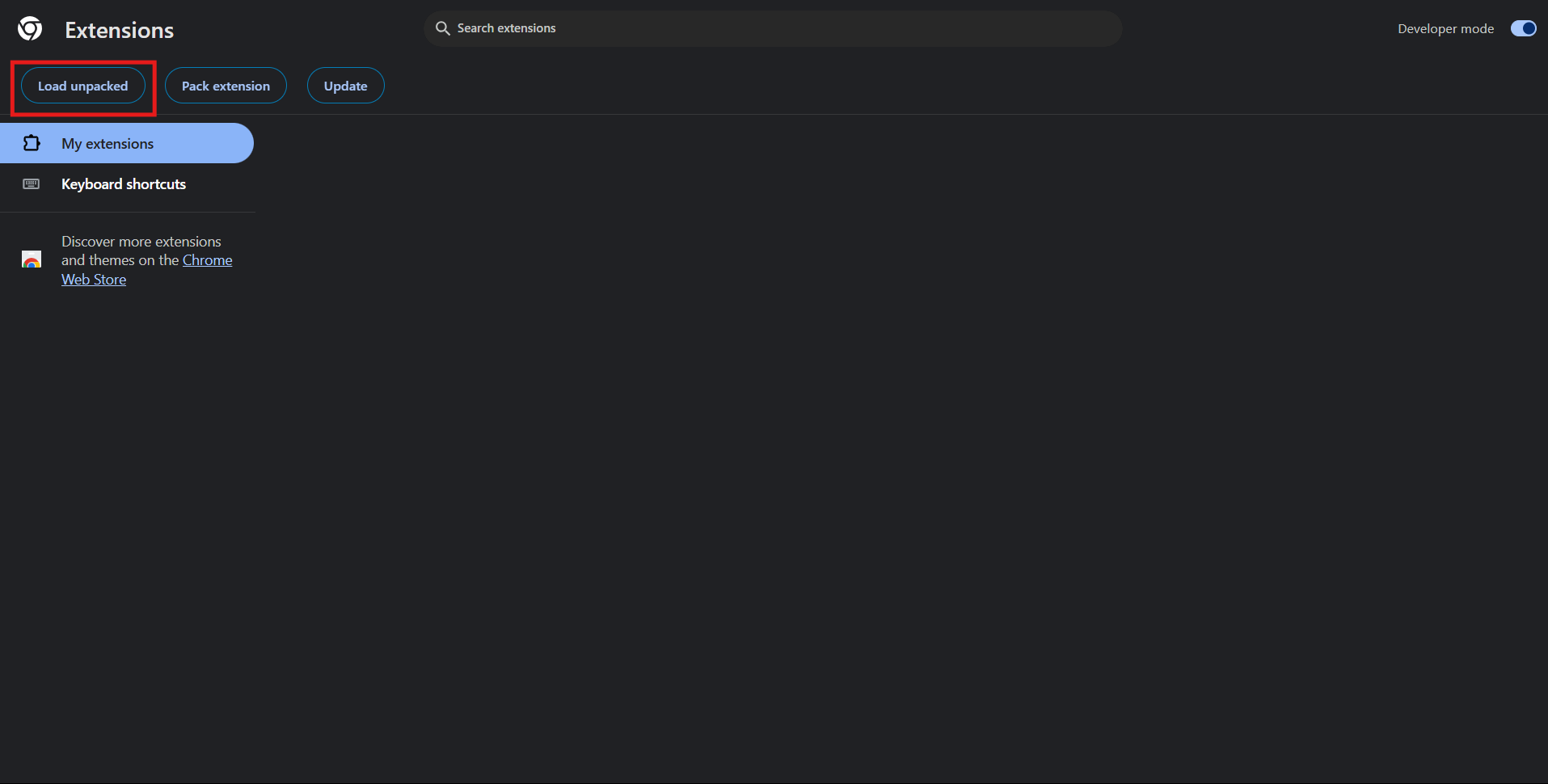
Load Unpacked Extension
Click "Load unpacked" and select the extension folder:
C:\Users\YourUsername\Downloads\extension
2. Get Gemini API Key (Required)
▶The Instacks Cheater requires a Google Gemini API key to work. Follow these steps to get your API key:
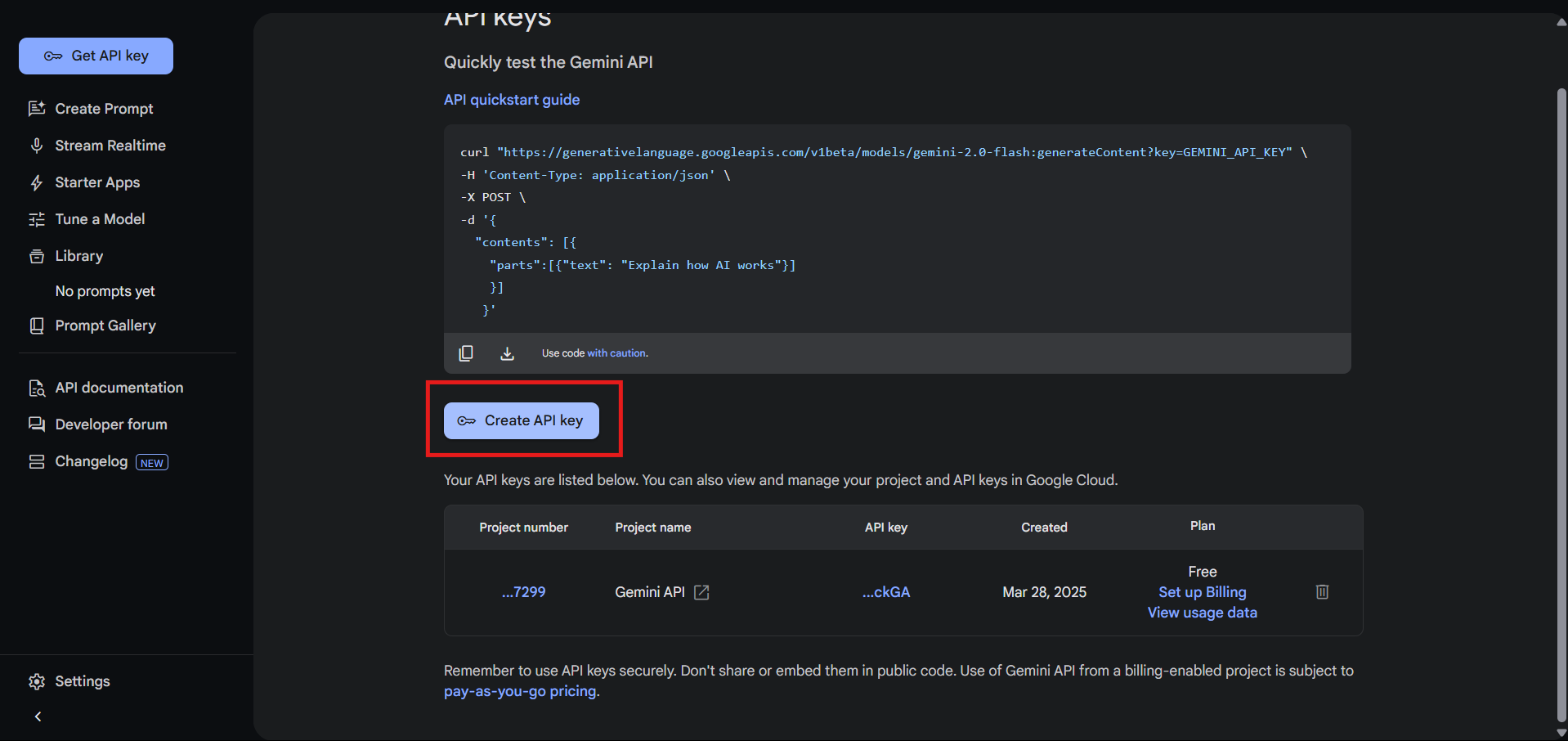
Create an API Key
Click on "Create API key" and give it a name like "Instacks Cheater"
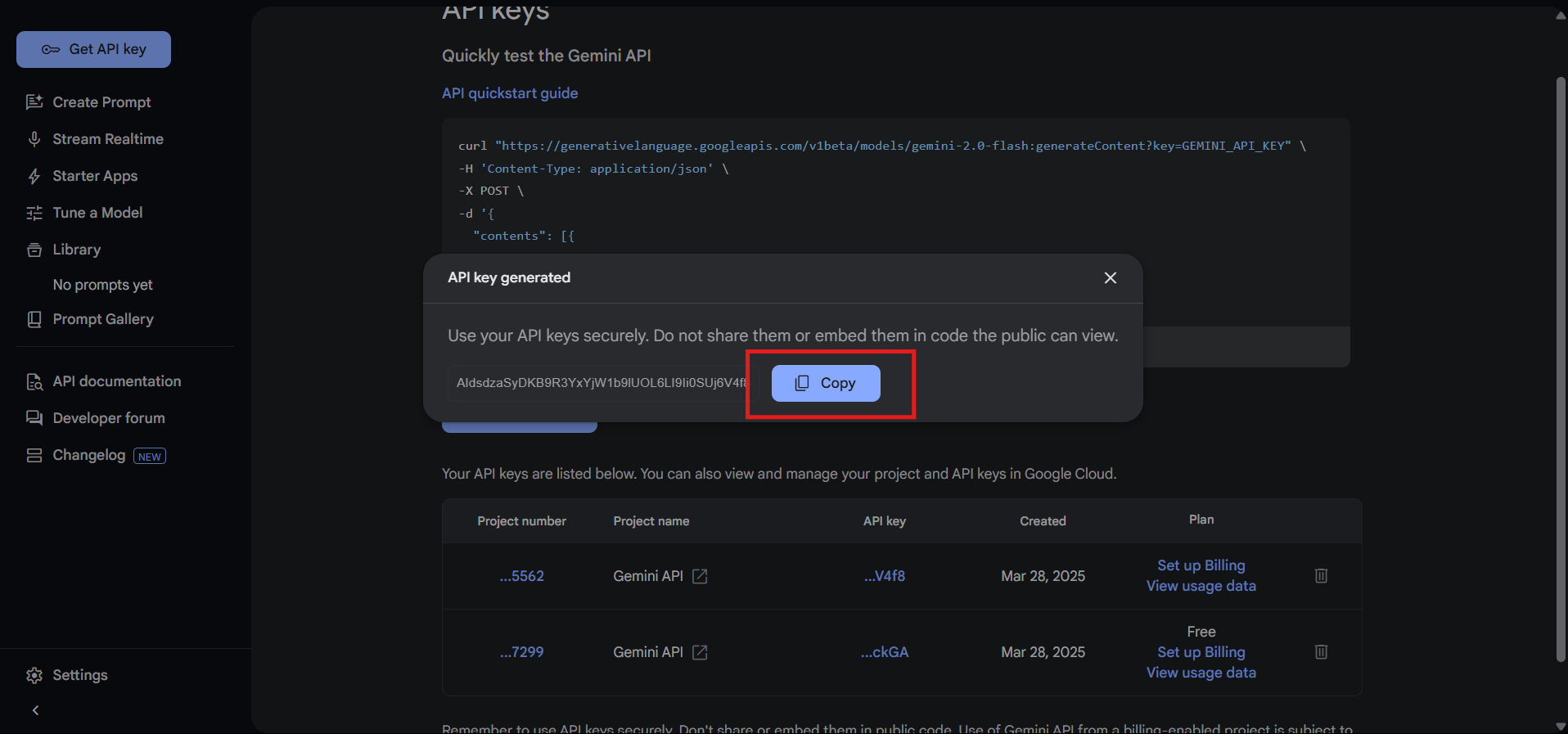
Copy Your API Key
Copy the API key that appears. Important: Save it somewhere safe - you won't be able to see it again!
Enter Your API Key
After installing the extension, click on its icon and enter your API key in the settings.
3. Enable in Incognito Mode (Optional)
▶If you want to use this extension in incognito windows, you need to enable it specifically:
Open Extension Details
Copy and paste this address into your browser address bar:
chrome://extensions/
Then find "Instacks Cheater Extension" and click "Details"

Find the "Allow in Incognito" Option
On the extension details page, look for the "Allow in Incognito" toggle:
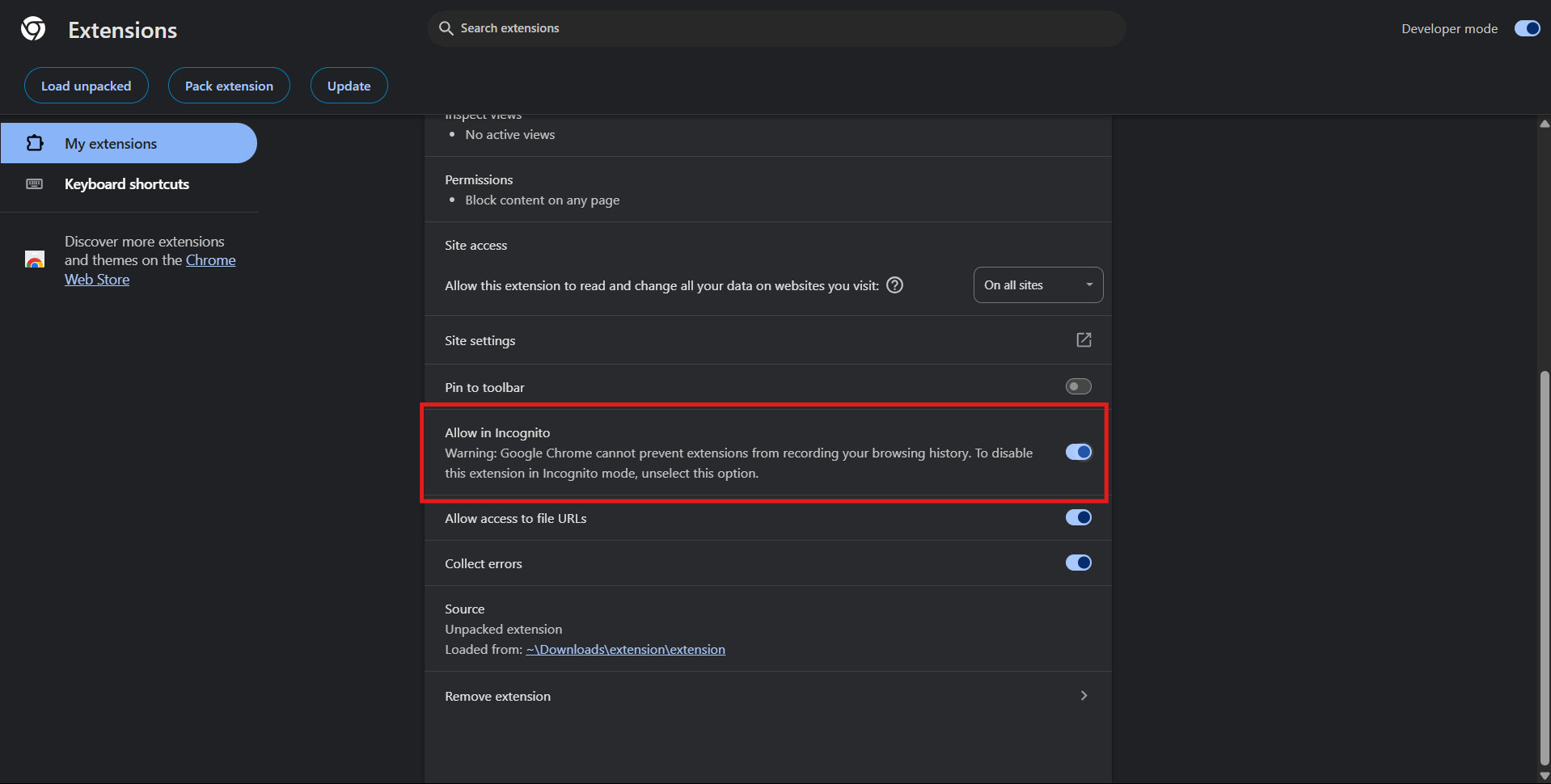
Toggle the Switch ON
Click the toggle switch to enable the extension in incognito mode
You can test your extension in an incognito window:
Note: Enabling the extension in incognito mode means it can access your browsing data in incognito windows.
4. API Key Management
▶Enter a unique identifier and your Gemini API key below:
Note: Your API key will be securely stored only on our servers under the identifier you provide. You can access your saved API key on any device by entering the same identifier. No data is stored locally in your browser.